WordPress Maintenance for US Small Businesses: What Your Monthly Plan Should Include
A practical checklist for choosing ongoing website support, with clear responsibilities, recovery expectations and limits on development work.


In this article
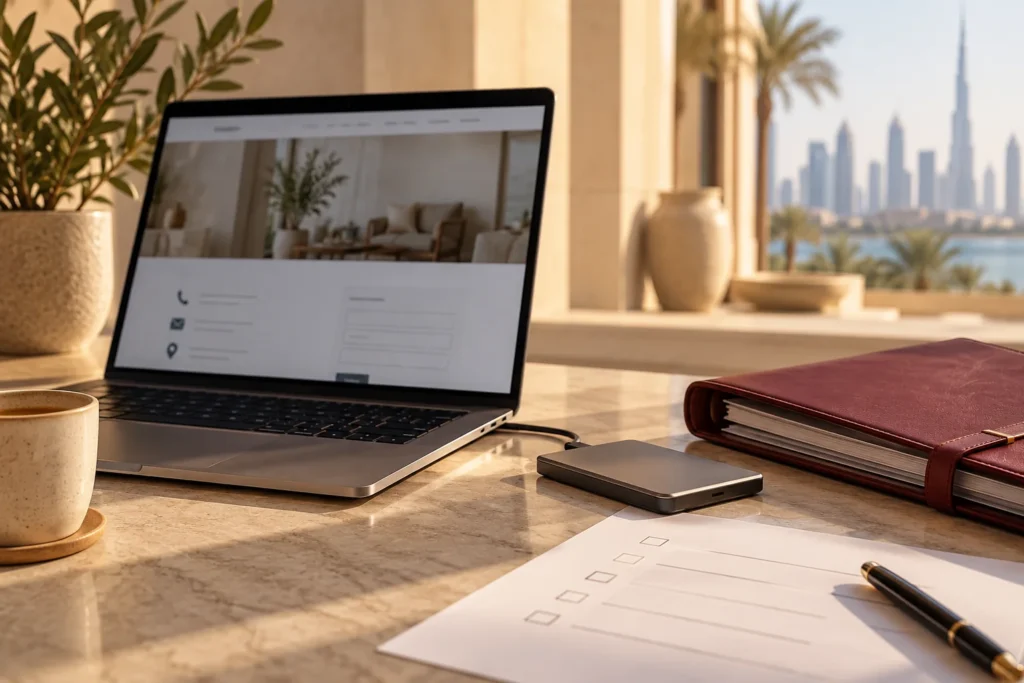
Illustrative workspace. Screens show concepts, not a delivered client system.
Your website is part of how customers contact you. If a plugin update breaks the enquiry form, or nobody knows how to recover the site, a small technical issue can interrupt the business. A WordPress maintenance plan should make those responsibilities clear and give you a practical way to request help.
I’m Jagjeet Singh, an India-based WordPress developer. I help businesses scope ongoing WordPress support and improvements. If you are comparing maintenance options for a US business, send your website URL and support requirements. We can agree the work, communication windows and recovery responsibilities around your site.
Start with the website’s business purpose
A brochure site with one contact form has different needs from a store, membership site or booking platform. Identify the pages and actions your business relies on: an enquiry, an appointment, a purchase or access to a customer area. These journeys should appear in the maintenance discussion.
List the current host, plugins, integrations and any recurring faults. Explain who handles content changes today and what your team cannot comfortably manage. An initial site review helps establish whether routine care can begin immediately or whether repairs need a separate scope first.
Compare responsibilities, not just a monthly price
| Area | Question to ask the provider |
|---|---|
| Updates | What is checked before and after changes, and how are problems handled? |
| Backups | What is saved, where is it stored and who can restore it? |
| Enquiry journeys | Are forms, booking links and notification routes included in checks? |
| Support | Which hours apply, how are requests submitted and what response is agreed? |
| Content and development | What changes are included, and what needs a separate quote? |
| Reporting | Can I see completed work, unresolved issues and upcoming decisions? |
A useful proposal answers these questions for your actual website. A long feature list can still leave the business unsure who acts when something breaks. Make the responsibilities and exclusions understandable before signing up.
Ask what happens before and after an update
Updating WordPress, themes and plugins helps keep the installation maintained, but an update process needs a way to investigate compatibility issues. Ask which changes are reviewed, whether suitable testing happens on staging and what the provider checks afterwards.
WordPress recommends a backup before an update in its updating documentation. For your agreement, define how backups, testing and recovery are handled. Confirm how abandoned plugins or major compatibility changes are assessed when ordinary updates are no longer enough.
Name the website journeys that should be checked after relevant changes. A page can load successfully while its form, menu or booking integration has stopped behaving correctly.
Make recovery expectations specific
Ask what is backed up: the database, uploaded files, plugins, theme files and any configuration needed to recover the site. Discuss backup frequency in relation to how often your content, orders or records change, and confirm where copies are stored.
The WordPress backup handbook covers database and file backups. Your support plan should also explain who can access those backups and carry out a restore. Having a backup somewhere is not the same as an agreed recovery process.
Ask how restoration is checked and who owns the hosting account. If both a host and a maintenance developer are involved, clarify their responsibilities so the business is not left passing an urgent request between providers. Recovery timings should be agreed from the actual setup.
Include the enquiry path in the conversation
For a service business, the contact form can be as important as the homepage. Identify where an enquiry goes, which fields are required, how the visitor sees a confirmation and who receives the notification. Include connected booking or CRM tools where they are part of the agreed support.
Discuss how delivery issues are investigated and how any authorised test enquiries are distinguished from real customers. Monitoring whether the website is online does not by itself confirm that a notification reaches the expected inbox.
If the site is already hacked or redirecting visitors unexpectedly, describe that in the initial enquiry. The WordPress malware removal guide explains why an active incident needs investigation before the site returns to routine care.
Agree support hours for a US business
Ask which time zone the support window uses, how to submit requests and which situations count as urgent. India-based delivery can fit a US team when working-hour overlap and asynchronous updates are agreed, but the exact arrangement needs to be clear.
Distinguish acknowledgement from completion. A provider may acknowledge an issue quickly and still need hosting access, approval or investigation before fixing it. Clarify what is covered outside ordinary support hours and who handles hosting outages or third-party service failures.
For scheduled changes, use a short request with the URL, desired result and any approved copy or assets. Consolidated requests are easier to plan than scattered messages without a defined finishing point.
Set boundaries for content changes and new development
Write down whether the plan includes content edits, layout fixes or a defined amount of development time. Identify who provides final copy and licensed images, what happens to unused time and how larger tasks are quoted. Avoid assuming that ongoing care includes a complete redesign.
A new integration, custom quotation tool or major page rebuild may need its own brief, estimate and acceptance checks. Custom plugin development is one example of work that should be assessed against the requirement rather than treated as an ordinary maintenance task.
If you only need a specific repair, the comparison of maintenance and one-time fixes can help you decide which arrangement fits. The monthly plan should solve a recurring responsibility, not simply replace a clear one-off job.
What should a monthly report tell you?
- What changed and which important journeys were checked.
- Any unresolved issues, their impact and the next action.
- Backup or recovery concerns that need a decision.
- Plugin renewals, access problems or dependencies requiring attention.
- Requests completed and work proposed outside the current scope.
The report should help you understand the condition of the website and the work being done. An automated score is less useful if it does not explain why a business-critical issue remains unresolved. Agree the reporting format during setup.
Questions to settle before starting a plan
Does maintenance guarantee the website can never be hacked? No. Agree preventative care, incident responsibilities and what investigation or cleanup is included.
Are hosting and premium plugin costs included? Confirm this in the proposal. Website care, hosting and third-party licences can have separate owners and charges.
Can you support an existing Elementor site? We can assess the installation and the changes required. Existing custom code, plugin quality and access affect the scope.
What changes the monthly cost? Site complexity, integrations, update testing, content work, support expectations and the condition of the current installation.
Request a maintenance scope for your website
Send your public URL, the platform or builder you use, important forms or integrations, current issues, expected content changes and the support hours you need. Share requirements first; passwords and customer data are not needed in the initial enquiry.
Use the enquiry button below or WhatsApp to discuss a practical plan. I’ll review what needs ongoing care, what may require a separate repair and how communication can fit your business. You can also review my website portfolio before we talk.
Written by
Jagjeet Singh
Full stack development, WordPress engineering and practical web products. I work with businesses, teams and agencies in India and worldwide.
Explore my work