
Legal CRM for Law Firms: Plan Client Intake and Matter Tracking
A practical legal CRM planning guide for advocates and law firms: connect enquiries to matters, define staff access and prepare a clear development brief.

In this article
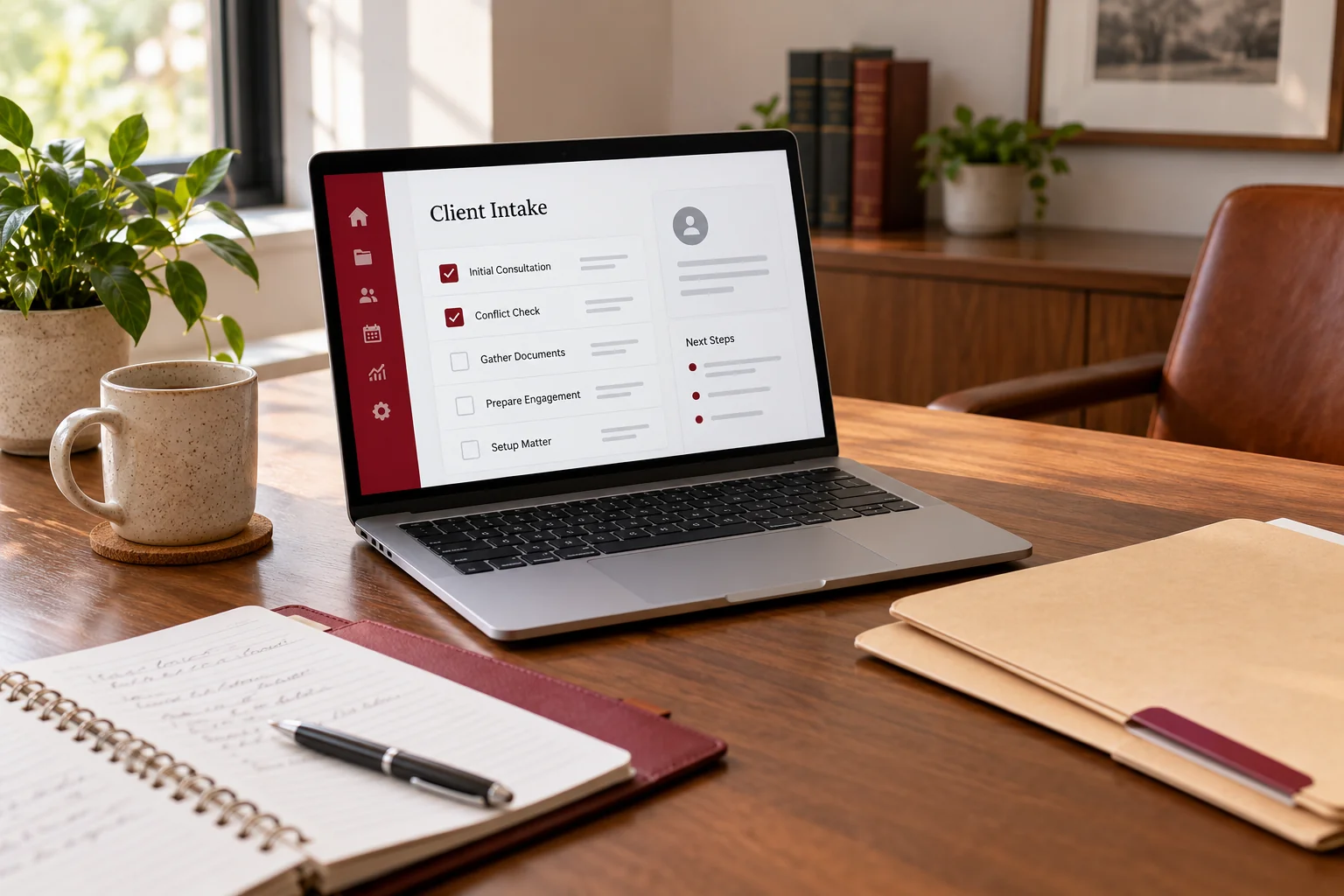
Illustrative workspace. Screens show concepts, not a delivered client system.
A prospective client calls, someone writes a note, and the consultation is arranged in a messaging app. Later, the same enquiry becomes a matter with files, tasks and dates stored elsewhere. The difficulty is knowing which record is current and who owns the next action.
A legal CRM for law firms can connect that journey. The useful starting point is your practice’s actual process: the information you collect, the reviews your lawyers perform and the work support staff need to coordinate. This guide explains how to turn those requirements into a manageable custom development project.
Start with the handover that causes the most friction
Choose one recurring problem before drawing a dashboard. Perhaps consultations are not followed up, document requests are scattered, or a colleague cannot find the latest matter update. Trace that problem from first contact to the person who should resolve it.
For an illustrative workflow, an intake assistant records an enquiry, a lawyer reviews it, a consultation is scheduled and an authorised person opens the matter. Each transition needs an owner, a status and a next-action date. A record marked “in progress” without those details gives the team little useful direction.
Keep client intake short and reviewed by a lawyer
The first form should collect the details your firm needs to route an enquiry and arrange the appropriate review. Let your lawyers decide which information belongs in this preliminary step and which should be requested later through an agreed channel.
As a US practice reference, the American Bar Association’s discussion of prospective-client information explains why limiting preliminary intake information matters. Your firm’s applicable professional requirements determine the final process.
A CRM can record a conflict-review checklist, reviewer and decision. A status change should follow the lawyer’s assessment; a name match or an automated rule should not be presented as guaranteed conflict clearance.
Define the records before choosing the screens
Separate the person contacting you, the enquiry and the matter. One contact may have several enquiries, and one matter may involve multiple people. A simple record model helps preserve that context as your practice grows.
- Contact: agreed contact details, communication preferences and relationship to the matter.
- Enquiry: source, practice area, assigned reviewer, consultation status and next action.
- Matter: reference, responsible lawyer, current stage, linked contacts and closing status.
- Task or date: owner, confirmed deadline, reminder and completion record.
- Document: matter association, document type, version and permitted users.
Decide which fields are essential. A long list of mandatory fields can encourage staff to enter placeholders just to save a record.
Make calendars and document requests dependable
Hearing dates and filing tasks need a named person responsible for checking them. The initial scope can provide manually confirmed dates, task ownership and reminders. Any court-data connection needs a separate review of the source, access and update behaviour.
A document checklist should show what was requested, what arrived and what needs review. Keep replacement files and their history understandable. If a reminder or calendar integration fails, staff should see the failure and retain a manual way to complete the task. Do not make the only record of a deadline an outgoing email.
Write an access matrix your team can test
List the actions each role may perform: view an enquiry, open a matter, upload a file, change an assigned lawyer or export records. Include matter-specific restrictions where your firm needs them.
OWASP’s authorization guidance recommends denying access by default and checking permissions on each request. That is a useful engineering reference for implementation; hiding a button alone is not an access control.
During acceptance testing, use fictional records to check that permitted users can do their work and restricted users cannot retrieve those records through direct links. Agree hosting, backups, restore testing, retention and offboarding alongside the screens.
Choose a useful first release and price that scope
A focused first release might include enquiry capture, a review queue, client and matter records, tasks and document checklists. Add billing connections, richer reporting or a client portal after the team has tested the core workflow.
Development cost depends on record relationships, access rules, migration quality, integrations and the expected support arrangement. Ask for a proposal that separates development, hosting, paid providers, migration and ongoing maintenance. Accounting, tax and client-money processes should have an explicitly agreed scope.
If existing software already fits most of the process, configuration or an integration may be a better starting point. The custom CRM versus off-the-shelf guide can help frame that decision.
Prepare a development brief with acceptance examples
Share your team roles, enquiry sources, matter stages, current tools and an anonymised description of the handover you want to improve. Use fictional examples rather than client files in the initial enquiry.
- An intake enquiry reaches the right reviewer with a clear next action.
- A reviewed enquiry becomes a matter without losing its history.
- A restricted staff account cannot view an unauthorised matter or file.
- A confirmed date has an owner and remains visible if a notification fails.
- A sample import preserves the agreed references and flags duplicate contacts.
These examples make a proposal and demonstration easier to assess than a list of generic CRM features.
Questions to settle before commissioning a legal CRM
Is a legal CRM the same as a complete practice-management system?
It depends on scope. Intake, matter records and follow-ups can be the first release. Detailed billing, accounting and other practice functions are separate requirements.
Can existing spreadsheets be imported?
Usually, after reviewing columns, duplicates, references and access rules. Start with an anonymised sample import and reconcile it before a full migration.
Can the system send client updates?
Email or approved messaging integrations can be assessed. Agree recipients, review steps, provider costs and what information each message may contain.
Will software make the firm automatically compliant?
No. The responsible legal and information-security teams must review the requirements, implementation and operating process for the relevant jurisdiction.
Discuss a custom legal CRM implementation
I’m Jagjeet Singh, a developer based in India working remotely with teams. My legal CRM development service focuses on custom intake, matter, task and document workflows agreed with your firm.
Tell me the size of your team, the tools you use and the handover you want to improve. I can review the requirement and discuss an appropriate first release, integration approach and development scope. You can review my development portfolio before we speak.
Written by
Jagjeet Singh
Full stack development, WordPress engineering and practical web products. I work with businesses, teams and agencies in India and worldwide.
Explore my work

