
Custom CRM User Roles: Agree Permissions Before Development
Agree who can view, change and export CRM records. Use a permission matrix and acceptance checks before commissioning custom development.

In this article
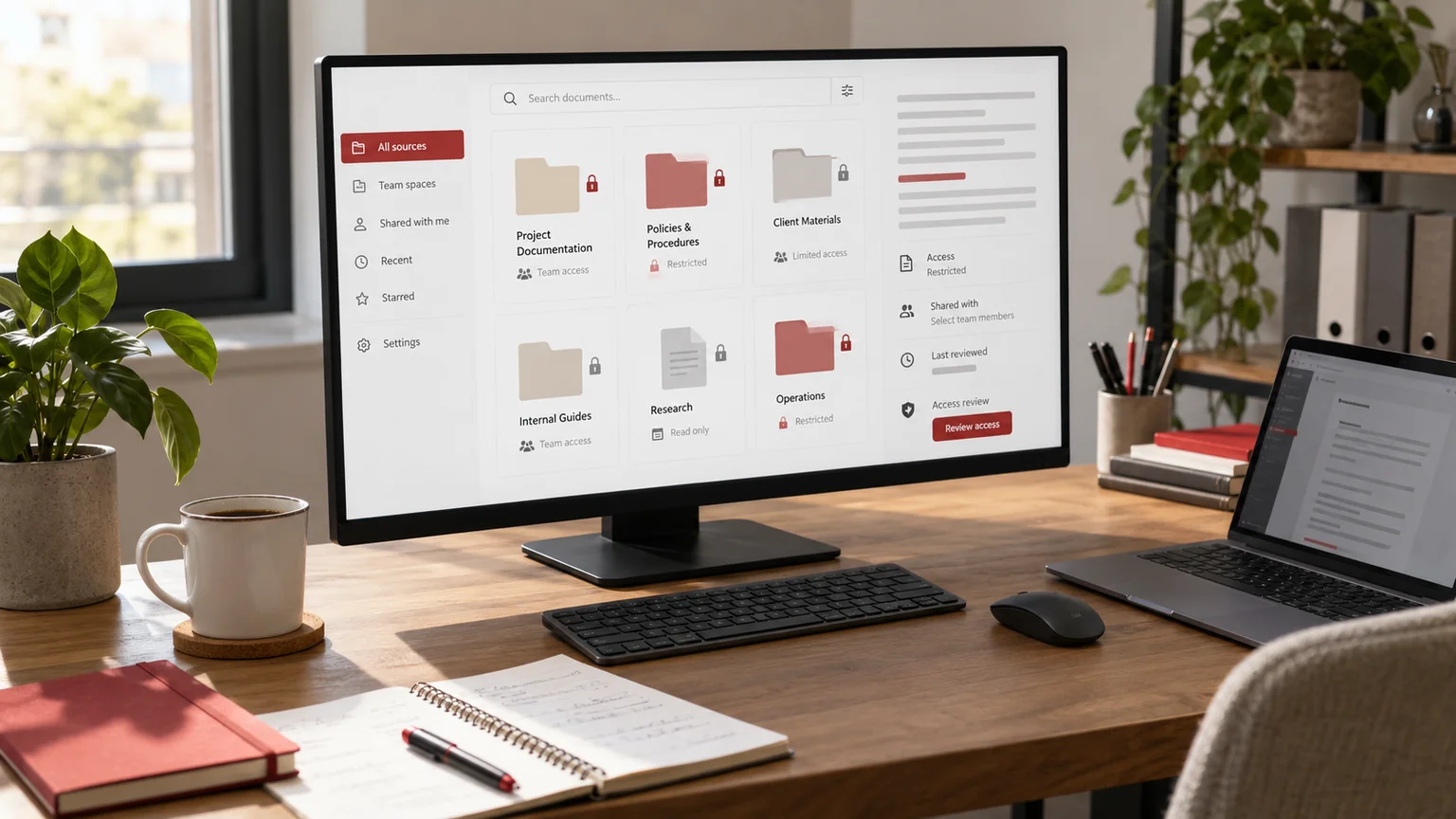
Editorial illustration. Any screens and records are illustrative, not a delivered client system.
A CRM demo may show an attractive pipeline and useful reports while leaving a more important question unanswered: who should be allowed to see each record and perform each action? Finding out after import can turn an ordinary workflow into a difficult access-control redesign.
For custom CRM development, I recommend agreeing permissions alongside the workflow and data model. This is a planning guide for a proposed implementation, with illustrative roles and tests. It is not a description of a finished CRM product or a guarantee of regulatory compliance.
Describe responsibilities before naming roles
Start with how work moves between people. Who receives a new enquiry, assigns an owner, changes a quotation, approves an exception and closes the record? Two employees with the same job title may need different access because they work with different teams or clients.
List responsibilities in plain language before creating labels such as Manager or Super User. A role name is not a complete rule. The brief must also explain which records the person may act on, which fields are restricted and whether temporary cover is permitted during an absence.
Build an action-and-scope matrix
Use a matrix that combines the action with the permitted record scope. The following is an illustrative starting point for a service business; your actual approvals should come from the people responsible for the information.
| Action | Assigned staff member | Team lead | Restricted administrator |
|---|---|---|---|
| View enquiry | Own assigned records | Agreed team records | Approved operational scope |
| Change owner | Request reassignment | Within own team | Only where explicitly allowed |
| Export records | Denied by default | Separate approval decision | Explicitly granted scope |
| Delete record | Request review | Request review | Defined retention process |
| Manage user access | No | No unless delegated | Named authorised operator |
Add sensitive fields, attachments and archived records separately. Do not assume that permission to read a summary also permits downloading a complete document or exporting the entire customer list.
Make permission checks part of the implementation
A login verifies identity; it does not grant permission to every record. OWASP’s authorization guidance recommends limiting access, denying it unless a rule allows it and validating permission on each request.
The developer must enforce the agreed rules in the backend. Hiding a button or menu is helpful for usability, but it is not the access-control boundary. The same restrictions must apply when records are requested through an API, an attachment URL, a search result or a background integration.
Ask for the denied cases to be demonstrated as well as the allowed actions. A polished staff dashboard tells you little about whether another user’s record can be reached directly.
Treat exports, search and integrations as separate routes
A staff member might need a list of today’s follow-ups without needing every customer’s contact details in a spreadsheet. Define export permissions independently, including which columns are included and whether a manager must approve larger exports.
Likewise, decide what search previews can reveal. A restricted record should not leak its private note through an autocomplete result. OWASP’s REST security guidance provides technical context for endpoint access controls; the business brief still needs to define the allowed behaviour.
For integrations, identify the exact records and actions required. Avoid giving an automation the broadest account simply because it is easier to configure during a demonstration.
Plan reassignment, departure and temporary cover
A permission model must survive ordinary staff changes. Agree what happens to open tasks, private notes, scheduled messages and integration credentials when someone changes team or leaves. Name the person who can approve access changes.
- Define who may reassign open records and whether the previous owner keeps access.
- Specify when temporary access ends and how it is reviewed.
- Decide how historical activity remains attributable after an account is disabled.
- Identify which scheduled actions should stop or transfer to a new owner.
Do not turn deletion of a staff login into an accidental deletion of customer history. Equally, do not leave a departed account active solely to preserve attribution; design those concerns separately.
Use a permission acceptance sheet
For each important workflow, record the user, record owner, action and expected result. Include an authorised team lead updating a team record, an unrelated staff member trying the same action and a disabled user attempting access.
Use fictional records in a test environment and include attachment downloads, exports and direct record requests. The acceptance sheet should identify the reviewer and what evidence counts as a pass. After a new role or integration is added, rerun the affected cases; the first launch is not the final access review.
Activity records can help investigate changes, but decide what to capture and who can see those logs. A claim that everything is audited is not a substitute for specifying the events and retention responsibilities.
Request a scoped CRM implementation
Bring your workflow, team structure, current record types and a draft permission matrix to the development discussion. Also identify the business owner who can resolve conflicting access requests. These inputs support a more realistic estimate than a request for unlimited roles.
If you have not chosen a platform, read custom CRM versus off-the-shelf software first. For data preparation, use the Excel-to-CRM migration checklist alongside your access plan.
I can help turn that brief into a defined pilot through custom CRM development and implementation. We agree the workflow, permission boundaries, migration responsibilities and acceptance checks before extending the system.
Written by
Jagjeet Singh
Full stack development, WordPress engineering and practical web products. I work with businesses, teams and agencies in India and worldwide.
Explore my work

