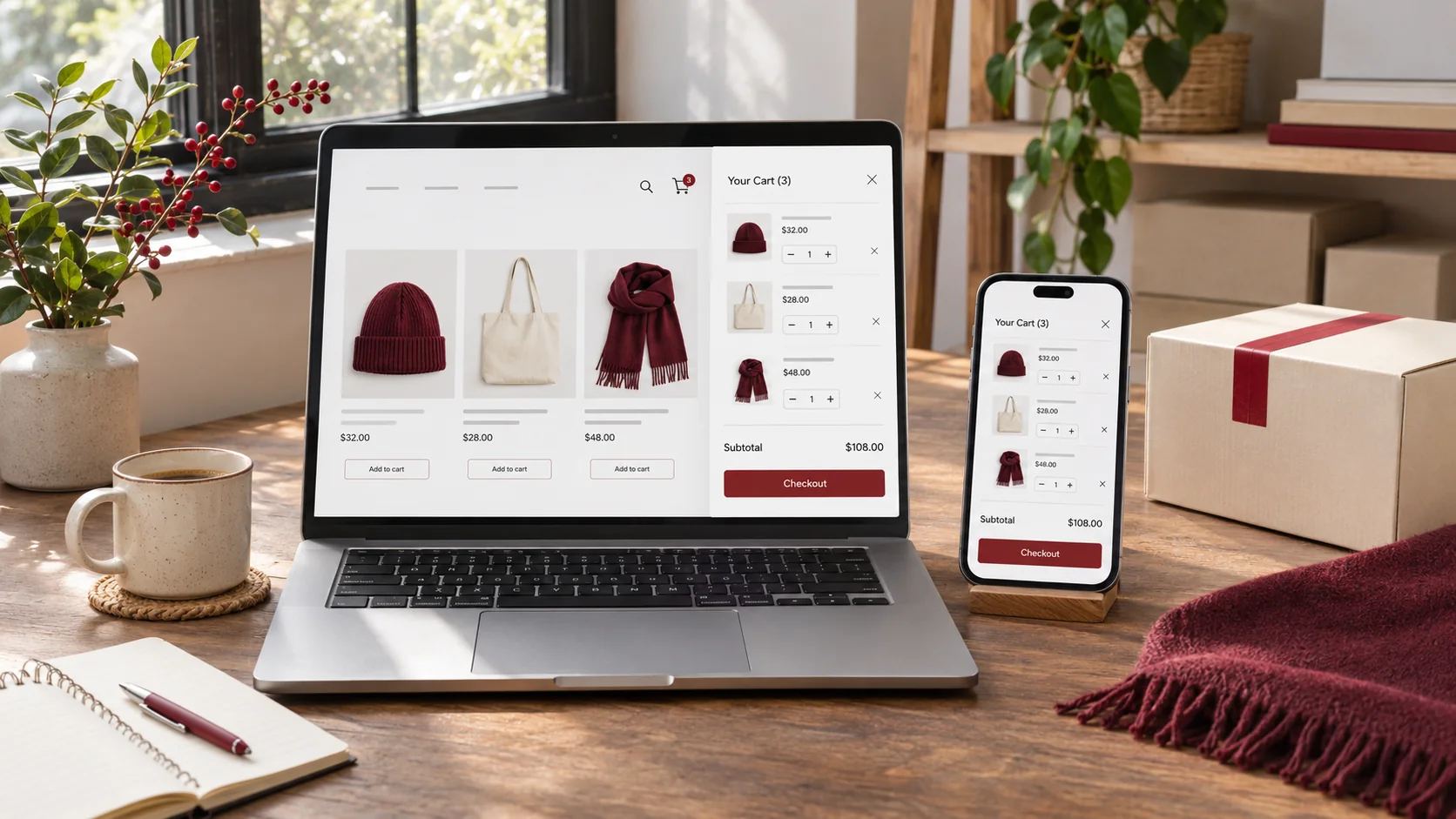
Illustrative editorial workspace; screens show concepts, not a client store, delivered project or measured result.
A shopper adds a product, opens the side cart and sees an old quantity. They tap again, the total changes late, and a discount message leaves them unsure what they will pay. A cart drawer can look polished while making the next step harder than it needs to be.
If your store has this kind of problem, commission the behaviour as carefully as the visual design. My Shopify development service can cover a cart drawer repair or an agreed custom build. The starting point is your actual theme, apps and shopping journey, rather than a promise that one drawer design will suit every store.
Start with the reason for changing the drawer
First identify whether you need a visual adjustment, a functional repair or a new buying journey. A change to spacing and button hierarchy is different from fixing a cart that stops updating after an app injects its own code. A wholesale reorder flow is different again. Those requests need different investigation and acceptance criteria.
For the initial enquiry, share your storefront URL, theme name, a short description of the fault and the device where you see it. A recording using non-sensitive test products is useful. If the drawer generally works but you want new features, list the customer decision each feature should support. This keeps the proposal focused on a problem a developer can actually address.
Make every cart change produce a consistent result
Specify what happens after an item is added, removed or changed. The item count, quantities, line prices and displayed total should describe the same cart state. Agree what the interface shows while a request is pending, and what happens when stock or a request error prevents a change. Repeated taps should not silently create an unintended order quantity.
For supported theme implementations, Shopify’s Cart API can return updated section markup alongside a cart change. Its bundled rendering supports up to five requested sections. That is a platform capability, not a universal list of section IDs: your theme must expose the sections the implementation requests. Missing section output also needs a deliberate fallback rather than a broken drawer.
Write discount and delivery messages that the store can substantiate
A discount input is only one part of the feature. Decide how a customer learns that a code was accepted, rejected or affected by another promotion. Compare what the drawer displays with the outcome at checkout. A message should explain the current cart, rather than suggesting that an estimated saving is guaranteed for every customer and destination.
Treat a free-delivery progress bar with the same care. Define the eligible cart value, products, market and delivery conditions before commissioning it. If the final shipping charge depends on information not yet supplied, say so clearly. A drawer should not invent a final delivery price to make its interface look complete. For promotion-rule problems, also review the discount troubleshooting guide. The development brief should name the exact promotion you need tested.
Design the mobile and keyboard journeys together
On a small screen, customers need enough space to identify the product, change quantity, read feedback and reach the next action. Check a long product name, a large text setting, an empty cart and the on-screen keyboard. Make the close control easy to find, and keep important feedback next to the action that caused it.
Shopify’s theme accessibility guidance provides the platform’s reference for accessible interactions. Where the drawer acts as a modal, include keyboard opening and closing, sensible focus handling and understandable updates in the acceptance plan. Testing a mouse hover on a desktop alone does not establish that the mobile or keyboard journey works.
Separate useful recommendations from extra friction
An upsell, gift message or optional accessory should be briefed as a customer task. Decide how it is added, whether it can be removed, which product or variant it belongs to and what happens if it becomes unavailable. Keep the original cart controls understandable when a recommendation is dismissed or cannot load.
For example, a fictional homeware store might offer one compatible accessory below the selected item. Acceptance would check that declining it leaves the cart unchanged and accepting it adds the intended variant once. This is an illustrative requirement, not a result from a delivered store. Do not attach a revenue-uplift promise to a feature before measuring its real effect.
Use an acceptance matrix before approving the release
Ask the developer to show the agreed examples, not just a screenshot of the happy path. The following is a starting matrix to adapt to your own catalogue, app stack and promotions.
| Scenario | What to review | Evidence to request |
|---|---|---|
| Add an item and change its quantity | Count, line price and total agree after the change | Demonstration with your representative variant |
| Remove the last item | Empty-state copy and next action remain usable | Desktop and mobile empty-cart check |
| Stock prevents a quantity increase | Feedback explains the problem without claiming success | A controlled stock-limited example |
| Use an agreed promotion | Drawer messaging and checkout outcome are consistent | Named code, eligibility and expected outcome |
| Use only the keyboard | Open, edit, close and return focus logically | A recorded keyboard walkthrough |
Also agree how to recover when a cart request succeeds but refreshed markup cannot be shown. The drawer can offer a clear route to the full cart page. The customer should not be encouraged to keep adding the same item because an update appears to have disappeared.
Define the theme, app and checkout boundaries in the quote
A reliable proposal should identify the current theme, the components being changed and the apps that affect the cart. Specify whether the work is a repair, a custom drawer or integration with an existing app. Keep requests about checkout fields, payment methods and checkout-specific features separate; a theme-side drawer does not establish that those changes are available on your current setup.
Agree the authorised development environment, review process and person who approves publication. Shopify documents how to duplicate a theme for customisation; any such preparation should be agreed with the merchant. A theme copy is not a copy of all store data. Existing orders and other store operations still need to be respected during development.
Send a brief that can become a development proposal
Send the store URL, theme name, cart-related apps, current issue or desired change, representative products, affected devices and target release window. Include any promotion that must work and any approval process the developer should follow. Share access only through an agreed private process after the initial scope discussion; do not put credentials in an enquiry message.
I can review that information and propose Shopify theme work around the agreed journey. For store-development context, explore my portfolio, then use the Shopify development enquiry to discuss your drawer. Agencies can use white-label Shopify development when the work needs to fit their own client delivery process.