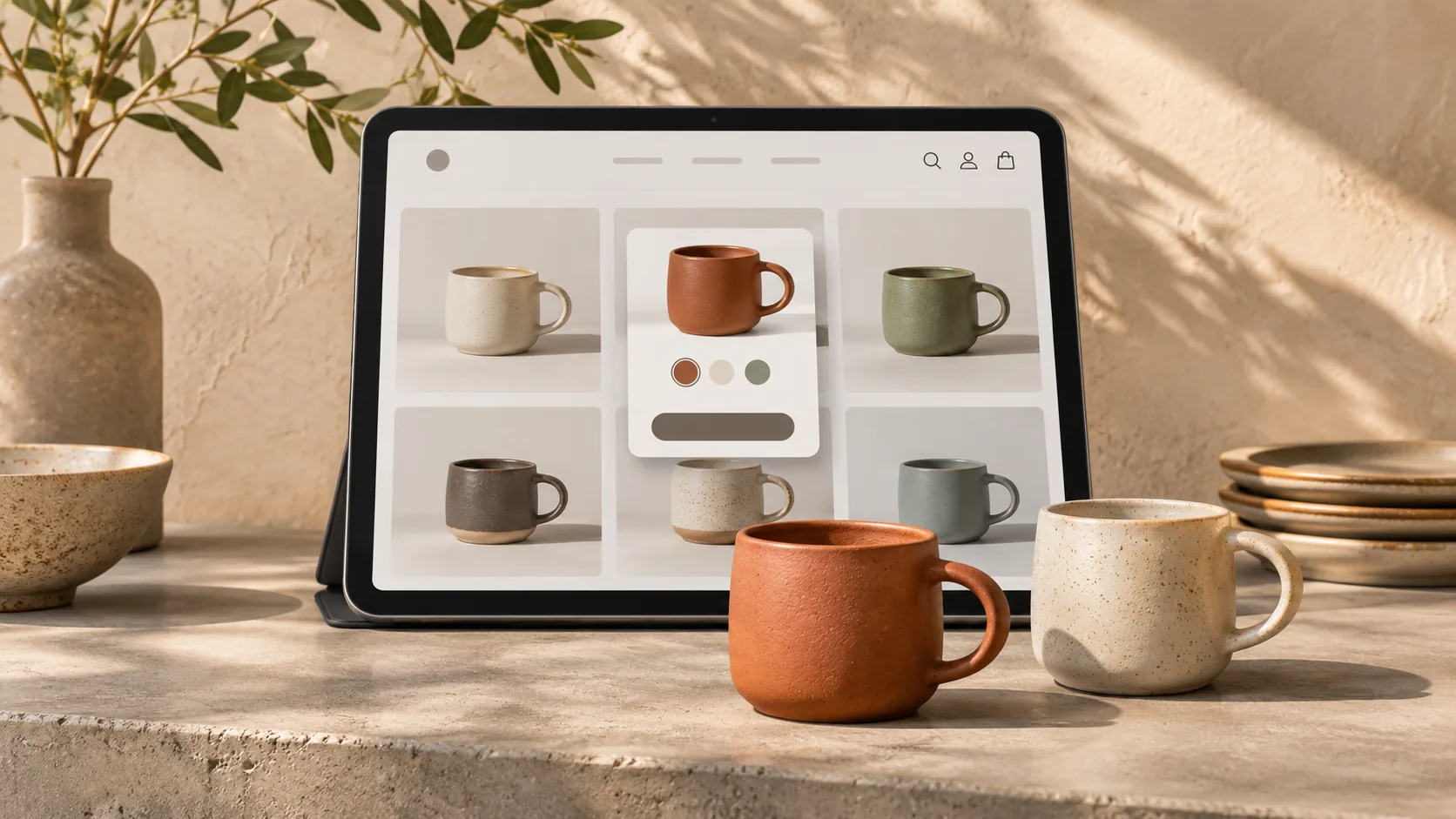
Illustrative ceramics collection with a fictional quick add option picker.
A regular customer sees their usual coffee mug on a collection page and wants to add it quickly. A new customer sees the same mug and needs to choose a size and glaze. Shopify quick add development starts by deciding which purchases a product card can handle and which need the full product page.
The aim is a quicker path for buyers who already know what they want, with a clear check that the cart received the exact variant they picked. Start by testing the theme with your real catalogue, including a sold-out combination and a product with extra purchase requirements.
Group products by the decision they need
A mug with one available variant and a straightforward price can often be added directly from its card. A mug sold in two sizes and three glazes needs a way to choose the combination. Consider a compact option picker when those choices fit comfortably on a phone.
Keep a clear link to the product page for products with personalisation, bundle choices or subscription terms Shopify needs the shopper to review. Decide whether sold-out products should show an availability label or a notification option your store already supports. Brief each group with actual product links.
Make variant and availability changes visible
Show the chosen size and glaze, its price and availability before the customer adds it. Consider a situation where the small white mug is available and the large white mug is sold out. Once the shopper picks large and white, the options and add button should explain what they can do next.
Make a list of unavailable combinations and variants that are out of stock. Test your preferred wording and option states for both. Shopify covers selected options, media and prices in its theme guidance for variants.
Send the same product choice to the cart
The add operation should use the selected variant, quantity and relevant purchase options. While it runs, show feedback on the active control and handle repeated presses. If inventory changed after the card loaded, show the response beside the shopper’s selection and give them a way to choose again.
Agree which parts need refreshing, such as the count in the header and the contents of the drawer. Judge the result against the cart response so the page and drawer describe the same item. Shopify can return the requested theme sections with the update through its Cart API.
Design the picker to work on a phone and with a keyboard
Give option labels room to wrap and make each choice easy to reach. If a picker opens in a dialog, set an understandable name, visible keyboard focus, a working close action and focus restoration to the original card button. Announce the result of an add or failure so someone using assistive technology can tell what happened.
Agree whether a successful add opens the drawer or leaves the customer on the collection with confirmation. A shopper adding several small items may want to stay in the grid. Test how the chosen behaviour feels after browsing several rows.
Check how the card is reused across the store
Quick add may appear on collections, search results and recommended products. Pick the surfaces in the first release. Test configured prices and labels in the relevant markets or languages. Check the card after a filter change or pagination if the theme replaces part of the product grid.
Identify any app involved in bundles, subscriptions or cart changes before you commission the feature. The Shopify cart drawer guide explains the follow-on decisions about quantities, discounts and mobile feedback once an item is in the cart.
Define what the store owner will test
- Add a single available variant from a card and confirm the correct item and quantity in the cart.
- Choose a different colour or size and check the selected price, image and cart label.
- Review a sold-out or unavailable choice and a cart error on the same device.
- Open and close the picker with the keyboard, then repeat with a filtered collection on a phone.
Review these flows on a theme preview. Set the release window and confirm how staff can report issues. If you measure use, compare product-card adds, successful cart updates and product-page visits for the eligible collections.
Send a collection URL and three products
Share the store link, theme name, a collection that needs quick add and one example each of a simple product, a product with variants and a difficult purchase case. Include your current cart behaviour and any apps that control purchase options. I can review the feature and quote the first set of changes.