Illustrative data rows and directory cards for a fictional migration.
A HubSpot directory can look like a single website page even when it depends on a HubDB table, shared templates and a separate URL for each entry. Scoping the move to WordPress means finding the records, links and filters behind the visible page.
Start with a directory your team understands, such as a public partner finder. Select a few published entries, include a record with a missing optional field and trace how each appears in the list and on its detail page. That sample explains the migration more clearly than page count alone.
List the table, views and pages that use it
Identify the HubDB table, the publicly displayed columns, the listing URL and any detail pages. Record which templates show the same table elsewhere. Ask the editor whether there are draft rows, related tables or hidden records that require a separate handling decision.
Record paths from the live directory as well as the source data. HubSpot’s documentation distinguishes the table data from the way a template uses it and describes how row paths work with dynamic pages. See HubSpot’s HubDB documentation.
Choose an editor-friendly destination
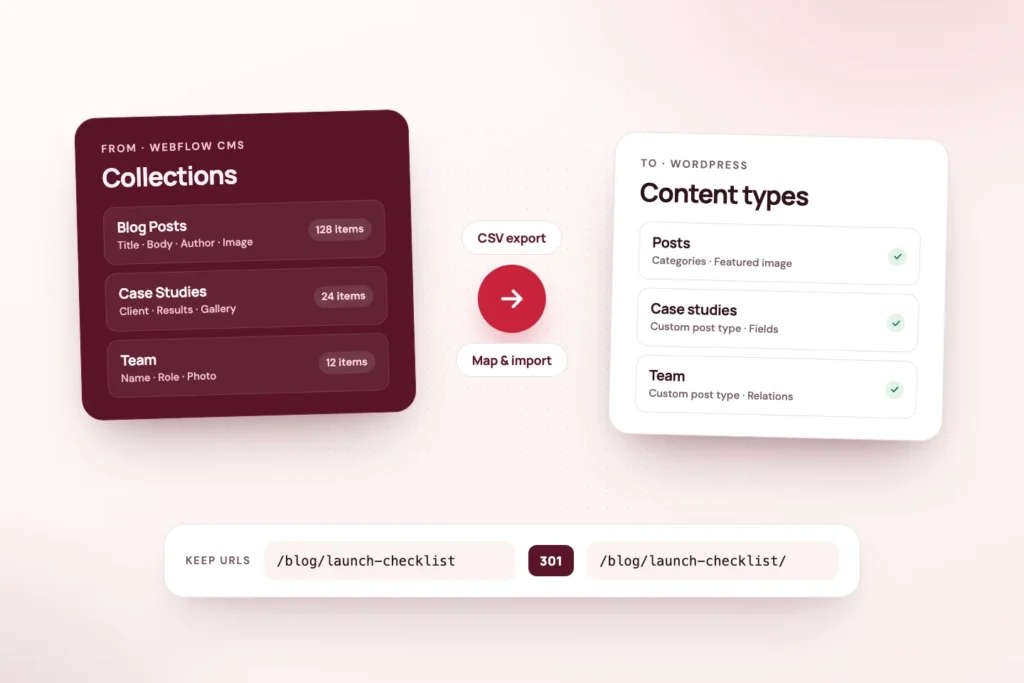
A WordPress content type can suit a directory where an editor opens an entry, updates it and publishes it independently. Map columns to the destination fields and use shared categories or other organised terms for filters when that matches the site. Keep the source row identifier in the transfer mapping so updates and reruns can be reconciled.
Specify which fields are published and which remain in the source or an approved private destination. Choose the model based on how the team updates the entries and uses their relationships. See WordPress’s custom post type guidance.
Map one listing entry and its detail page
In this fictional example a partner directory has thirty records. One partner appears under two service categories, has its own detail URL and uses the shared enquiry form. Its existing path and categories give the migration team a test that spans data, layout and navigation.
| HubDB source | WordPress destination | Pilot check |
|---|---|---|
| Row ID and published path | Transfer reference and approved public detail URL. | Open the old link and confirm the intended destination. |
| Name, profile and approved image | Editable partner entry with its media asset. | Inspect the list card and full profile for the same content. |
| Services and region | Agreed directory filter terms. | Find the same partner in both relevant service groups. |
| Enquiry CTA | The approved form link and reference to the partner. | Check the CTA, routing and intended confirmation in staging. |
Test filtering, empty states and old links
Choose the filters visitors use to make decisions. Test a single filter, two filters together, a group that returns no entries and a group with enough results to paginate. Decide which listing URLs are valuable to share publicly and how users return to the directory from a profile.
Create the redirect map from verified old paths and check the pages you can keep at their existing URLs. Confirm that the importer avoids creating a second profile on rerun. Add sample entries with a duplicate proposed path, missing image and mixed category labels to the review.
Keep the CRM and campaign connections visible in the scope
Decide which HubSpot CRM forms, tracking and connected tools are part of the directory experience. The WordPress listing can link to an agreed form while retaining the right source information. Verify how the selected partner or service should be recorded when someone enquires.
Use the HubSpot website migration guide for decisions about CRM ownership, campaign links and the rest of the site. Get agreement on the directory scope before adding unrelated workflows.
Send a directory URL and an approved field sample
Share the public listing, one detail page, the approximate record count and a redacted column list. Include example filters, related tables and any forms or tracking that matter. I can assess the pilot and scope an editable directory, the launch checks and the editor handover.